
I purchased a SanDisk Clip Sport Plus MP3 player this week, but upon plugging it in to my desktop, Pop!_OS did not immediately recognize and mount it for me. Some devices will automatically be detected and mounted, like this USB disk:
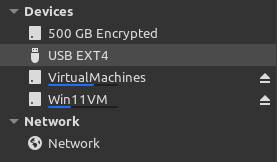
The SanDisk MP3 player was not however, and this turned out to be a not-so-obvious fix. It took a few hours of Googling and troubleshooting, but I found a solution from a comment this thread on linux.org. To get my SanDisk Clip Sport working with Pop!_OS/Ubuntu 22.04, I first ran command lsusb to get information about all connected USB devices – this verified that device was being recognized by the operating system:
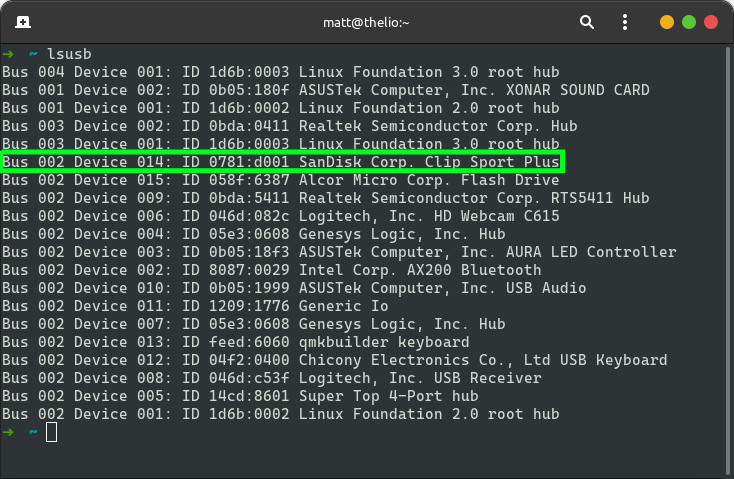
lsusb outputThis MP3 player uses a micro USB cable, but some of these are only suitable for battery charging and not data transfer, so verify you are using the appropriate one before proceeding. The terminal output above tells me that the device is recognized, so no issue with my cable affecting data transfer. Next, I performed the “hack fix” described here, by running two commands:
sudo parted -l
sudo lsblk -f
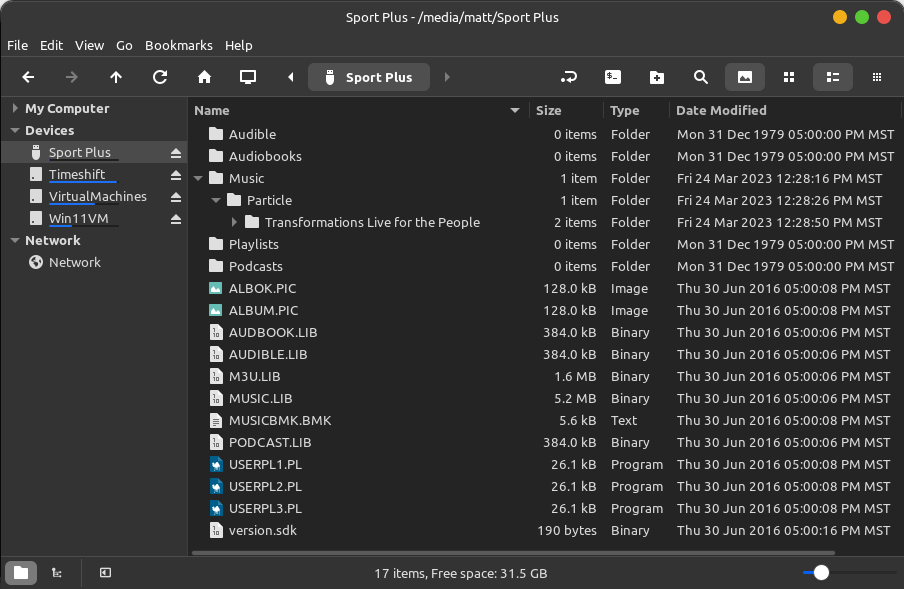
After those commands execute, the MP3 player will be mounted. I admittedly don’t know why this works, but it does. The parted -l command will list all partitions, and lsblk -f will list information about the file systems. Running these two commands seems to automagically mount the SanDisk MP3 player; unfortunately, the original comment on linux.org did not provide any further explanation as to why this resolves the issue 🤷♂️. The device was showing as mounted after running the commands on my machine. The file system label was displayed under “Devices” in my file manager (I’m using Nemo), and I was able to copy music from my hard drive to the MP3 player:
After unmounting and unplugging the device, and then plugging it back in to my computer, I did need to run command sudo parted -l to force the device to mount once again. Playback of audio files works as expected on the MP3 player 👍
SanDisk Clip Sport Plus support links:
- Product page
- Data sheet
- Amazon link (no referrer)
 Matt Callahan's Blog 📝
OMG thank you for sharing this! Works for me on Ubuntu
LikeLiked by 1 person
Thank you!!!!!! Seriously, this worked and has kept me sane.
LikeLiked by 1 person
Matt, as I found myself fidgeting around with this exact issue on the exact OS, I quickly found your notes. Awesome fix. I’m recording the steps for future use. Thanks for writing it up.
LikeLiked by 1 person
This was exactly what I needed to get my generic brand MP3 player to work with my Fedora Linux system. It just worked! I expect it was writing useful stuff into the FAT filesystem, for Linux’s automount to find and make use of.
LikeLiked by 1 person
Dankeschön from Germany. This still works in Nov 2023.
LikeLiked by 1 person
Absolute legend, worked for me on Manjaro!
LikeLiked by 1 person
Thanks a lot. I kept mine in a drawer because I couldn’t find a solution to this problem. I’m just copying podcasts on it :-).
LikeLiked by 1 person
So this didn’t quite work for me on openSUSE but it was enough to make me understand what is the problem. When the player is plugged in, the kernel does not recognize the partitions on the media. Thus you have to prod it again to reread the partition table – partprobe <device> is the easiest way to do that. After that I can see partitions and mount the device just fine.
The real question is why the partitions are not read immediately when the player is plugged in. I guess it is some player quirk. That needs some debugging from the kernel side – for some other day 🙂
LikeLiked by 1 person
wow!! 49Quick guide: query an ArcGIS Online feature service table with Python
LikeLike
bonny! 101 2025 Deploying a Python + Flask application which can import ArcPy and the ArcGIS Python API to Windows Server fine
LikeLike